Skip to content

AI-powered nutrition coach

Snap your plate.
Let AI read the rest.

NutriOS recognises every dish in the photo one by one, estimates the portion in grams and pulls calories from a verified food database instead of guessing. All you do is take the photo.

  • iPhone & Android
  • Turkish & English
  • Core tracking is free
  • Allergen warning

Most calorie counters either make you type every bite or guess the number. NutriOS does neither. AI recognises your plate and estimates the portion in grams; the number comes from a verified database.

2.000Turkish food calorie pages
2.135.646barcoded products
1.092step-unlocked cards
7 daysAI-written program

From home cooking to packaged food, whatever the cuisine, you find it by name.

Try it

Pick a plate, watch the scan

In the app you take the photo; AI turns every dish on the plate into its own item and pulls the calories from the database. See the same flow with three sample plates below.

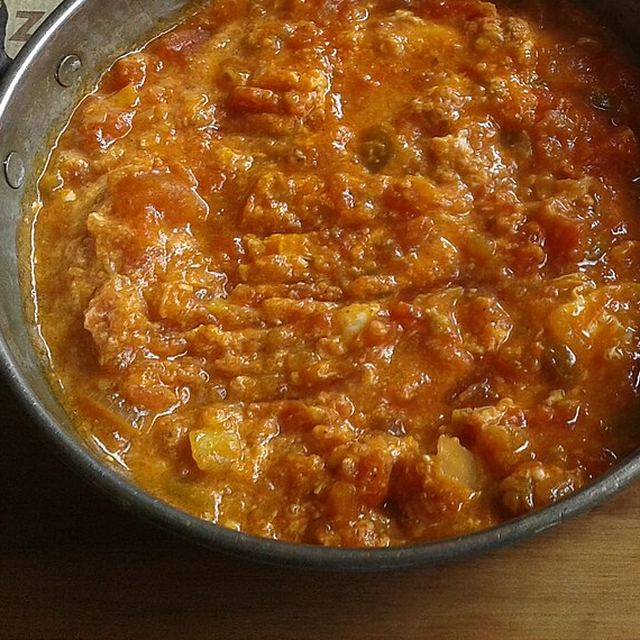
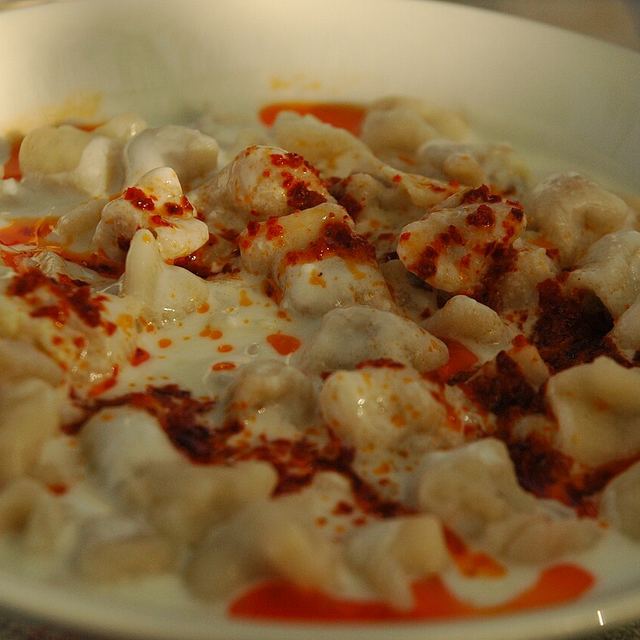
Sample plate: Manti

RECOGNISED DISH

Manti

PLATE TOTAL

561 kcal

Protein

18 g

Carbs

77 g

Fat

20 g

AI can get it wrong

Tap "Not this?" on a wrong item and pick the right one, use "Remove" for extras, and add anything it missed below. You can fix portions too.

  • Manti

    467 kcal

    Database

    Protein

    16 g

    Carbs

    75 g

    Fat

    11 g

    Portion (g)
    Not this?
  • Yoghurt

    37 kcal

    Database

    Protein

    2.1 g

    Carbs

    2.8 g

    Fat

    2.0 g

    Portion (g)
    Not this?
  • Butter (sauce)

    57 kcal

    Database

    Protein

    0.1 g

    Carbs

    0.0 g

    Fat

    6.5 g

    Portion (g)
    Not this?
Add a missing food Add to Log (561 kcal)
Snap your own plate Download on the App Store

Barcode scanning and food search are free.

Your goal

How many calories should you eat a day?

Four questions, one minute. The same formula the app uses, so the target you get here is the one you will see when you sign up.

What is your goal?

01 · AI Camera

Take the photo, the plate lands in your log

The in-app camera opens with an alignment frame; everything outside the frame is cropped, so only the plate reaches the AI. The model reads every dish on the plate as a separate item and estimates its portion in grams.

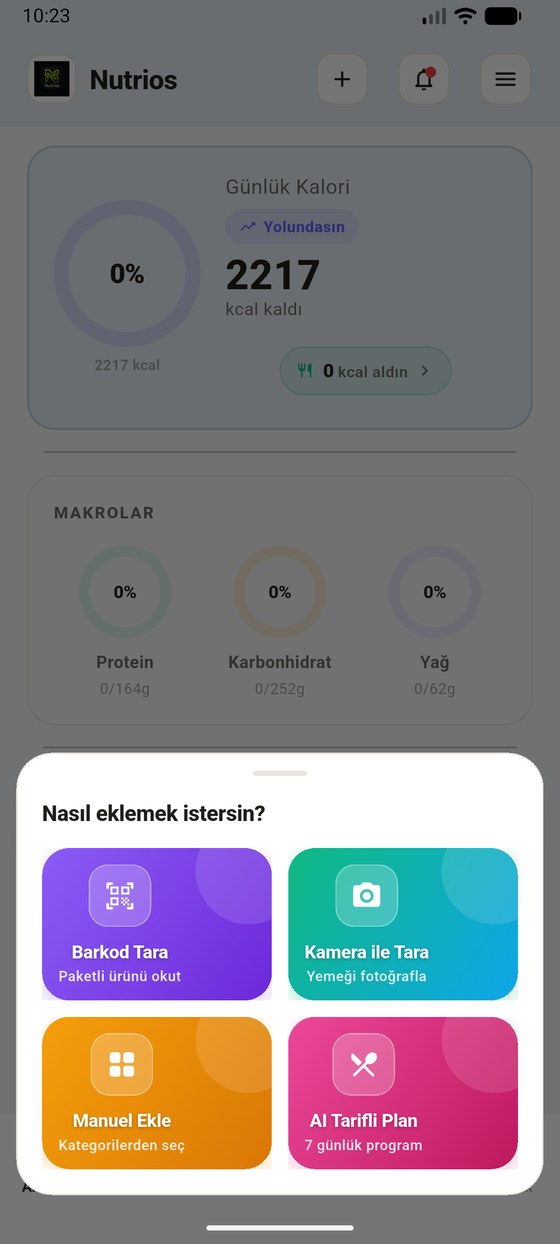
How would you like to add? Scan Barcode, Scan with Camera, Add Manually, AI Meal Plan cards
  • Calories come from data, not from a guess

    The AI gives the name and the portion of the dish. Calories and macros are pulled from the database. For the rare item with no match an AI estimate is used, and the card says so plainly with an AI estimate tag.

  • It never logs the same dish twice

    If there are two bagels in the photo the item is not duplicated, the count is multiplied by the grams. If a whole product is visible, no half portion is guessed; the full weight is written.

  • Allergens are flagged, never hidden

    If an allergen from your profile shows up on the plate, the item is not dropped from the list, a warning is added on top of it. An empty allergen list does not mean “allergen free”, it means “none detected”, and the app writes that out too.

  • If it cannot find it, you fix it

    Every item has a “not this one?” picker next to it: it searches the whole database and keeps the grams you entered when you pick another.

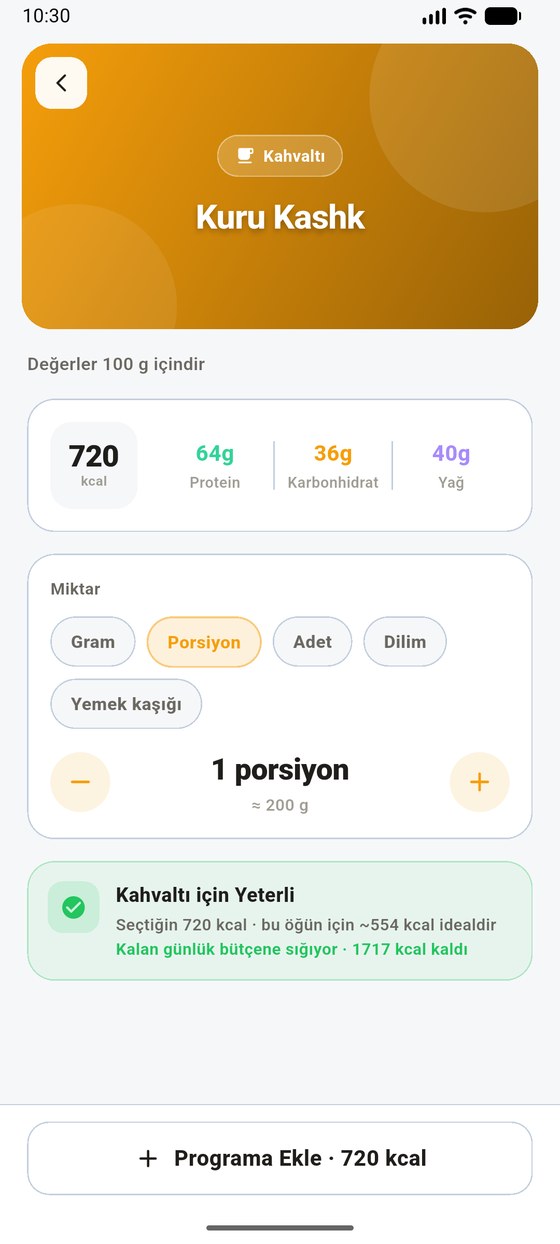
Food detail: 720 kcal, portion selection and the Enough for Breakfast budget check

02 · AI Meal Plan

A 7-day program, a recipe on tap

Your target calories, diet style, meal count and the allergens in your profile are read; the AI builds a week of meals. Tap a meal and its recipe, ingredients and method included, is written right there and then.

1

Tell it your goal

Your daily calorie target comes from your profile. You pick your diet style and how many meals you eat a day; your allergies are already saved in your profile, no need to type them again.

AI Meal Plan setup screen: daily target of 2,217 calories, diet style and meal count selection
2

Let the plan be built

The target calories are split across the day and the meals. The day’s total is shown next to the target: 2,222 kcal against a 2,217 kcal goal in this example. The same choices are never placed on consecutive days.

Generated daily program: breakfast granola with yoghurt 500 kcal, lunch cheese wrap 647 kcal, dinner shrimp noodles 805 kcal
3

Tap the recipe

Ingredients come in grams, the method step by step. The moment you say “I ate this”, calories and macros go into the daily total; you never write it twice.

Recipe nutrition values are estimates produced for that recipe; they do not come from the verified data set. The app states this under the recipe too.

Recipe screen: ingredients and step by step method, with an I ate this, add 500 kcal button at the bottom

03 · Personal AI

For the moments you don’t know what to eat

The AI reads your remaining calories, your macro gap, your goal and your diet style; it writes what it suggests and why it suggests it. Every meal it picks comes from the verified food database; it is not a made-up list of dishes.

✦ AI

“While your energy is high I leaned towards options that keep you fuller and watch the fat balance, so your weight-loss goal is supported with protein first. Within the remaining 1,717 kcal you can focus on closing the protein gap in particular.”

A real rationale generated inside the app
By Mood: energetic mood selected, the reasoning text of the AI and the meals it suggests
  • The suggestion card knows when to stay quiet

    Once your daily target is met the suggestion card closes itself. When you go over, the excess is written in red and the percentage is not clipped. You see the real state.

  • Didn’t like it? Say so

    There is a thumb next to every suggestion. What you dislike never comes back; what you like moves to the front.

  • Not medical advice

    The app writes this under every AI card. Suggestions are nutritional support; if you have a chronic condition, talk to your doctor.

Personal Suggestion: the days of the weekly plan and the meal suggestions prepared by the AI

04 · Learning

1,092 cards that open as you walk

Nutrition knowledge does not sit in the app as a list. 546 knowledge cards and 546 “common myths” are locked behind step thresholds: each threshold opens one card and one myth. Walking is the key to learning.

Step counter screen: weekly day rings, daily step counter and the 10,000 step goal
  1. 10.0001st card + 1st myth
  2. 22.0002nd card + 2nd myth
  3. 36.0003rd card + 3rd myth
  4. …up to the 546th threshold
Discovery Locks card: Knowledge Cards and Common Myths locks, the first opening at 10,000 steps

Guess the answer first, then flip the card

Hover a card to flip it over. Tap a card to flip it over.

Common myth

Are sweet fruits like bananas and grapes banned on a diet?

See the answer →

The myth: bananas, grapes and figs are so sugary that they are off limits while losing weight.

The truth: no fruit is banned; what matters is total calories and portion size. These fruits carry potassium, fibre and antioxidants.

Common myth

Can products labelled “sugar-free” be eaten without limit?

See the answer →

The myth: desserts and drinks labelled sugar-free can be consumed freely.

The truth: these products can still hold fat, starch, sweeteners and calories. “Sugar-free” does not mean “low calorie”.

Common myth

Is frying with olive oil harmful?

See the answer →

The myth: olive oil breaks down when frying and turns carcinogenic.

The truth: the smoke point of extra virgin olive oil is high enough for home frying and it stays stable; its antioxidants tolerate heat.

Knowledge card · Vitamin

What does vitamin K do?

See the answer →

It is needed for blood clotting and bone health. The richest sources are dark leafy greens: spinach, kale, broccoli.

Knowledge card · Macronutrient

How much total fat should you eat?

See the answer →

The WHO recommends keeping total fat below 30% of daily energy, saturated fat below 10% and trans fat below 1%.

Knowledge card · Legume

Is the soybean a complete protein?

See the answer →

Yes. Soy is one of the rare plant sources of complete protein, holding all essential amino acids; it is eaten as tofu, edamame and soy milk.

Quiz of the Day

One question a day keeps what you learned fresh

What the cards taught you turns into a small question the next day. It takes less than a minute.

Which one is a complete protein source?

Inside the box

Complete enough to stop keeping a diary

Your water goal comes from a formula, not a guess

Your weight × 0.033 L is the baseline; gender, season and activity level are added on top. The app shows the calculation openly; it does not hand you “some number” of litres. 200, 250, 330 and 500 ml go in with a single tap.

  • A visual gauge that fills glass by glass
  • Three reminders through the day, in the device’s time zone
  • Once the goal is met the card congratulates you and goes quiet
Water · Today %0

0,00 / 2.5 L · 0/10 glasses

You drank little water today — start with a glass.

2.1 million barcodes, free

Scan a packaged product and its card appears at once. Barcode scanning is free; the catalogue lives on our own server, no outside service is asked.

A big food list, in two languages

Turkish cuisine is its own set. Fibre and glycaemic index included; search forgives typos.

Weekly analysis report

The score is calculated deterministically; the AI only writes the commentary. Weight history and your weakest area arrive together.

Allergen and diet filter

A curated dictionary. “Gluten-free oats” does not trip the gluten filter, and a partial word match never raises a false alarm. An empty list means “none detected”, not “allergen free”.

It does not go quiet when you go over

At 100% it says “target complete”, past it the excess is in red. Once the target is met the suggestion card closes itself.

Cloud backup

Change your phone and the log stays. What you write offline queues up and flows once you reconnect.

Dark theme, genuinely dark

Every screen feeds from a single palette and follows the system theme. Interface and notifications are in Turkish and English.

Barcodes, water, steps and knowledge cards are free. Log your first plate tonight.

Download free Download on the App Store

The film

The calorie app that asks “how are you?” first

Counting calories should not feel like an exam. NutriOS asks how your day went, reads your plate and guides you towards your goal.

Why NutriOS

It closes the two gaps calorie counters have

Classic counters make you search every bite by hand; scanners that rely on AI alone guess the calories too. NutriOS sits between them: AI recognises the dish, the number comes from a database.

Feature NutriOS Classic counters AI-only scanners
How is a meal logged?Photo, barcode or searchMostly manual searchPhoto
Where do calories come from?The database; estimates are labelledEntries typed by usersThe model’s estimate
Turkish & Mediterranean foodDishes recognised by their own namesEntry quality variesOften trained on Western dishes
Barcode scanningFreeOnly in the paid tier of someWith a subscription
Usable without paying?Yes, core tracking is freeYes, limitedMost show a paywall after setup

A comparison of general approaches; apps can change their features.

FAQ

What people ask before downloading

Is NutriOS free?

Yes. Downloading and daily tracking are free: searching and adding foods, barcode scanning, water and step tracking, knowledge cards, the daily quiz and the community. The free version shows ads. AI features such as photo recognition, the weekly recipe plan and personal suggestions are unlocked with an in-app subscription.

How accurate is calorie counting from a photo?

The AI only estimates the name and the grams of the dish; calories and macros come from the database. For the rare item with no match an AI estimate is used and clearly labelled on the card. You can always correct the grams and the matched food.

Does it recognise Turkish dishes?

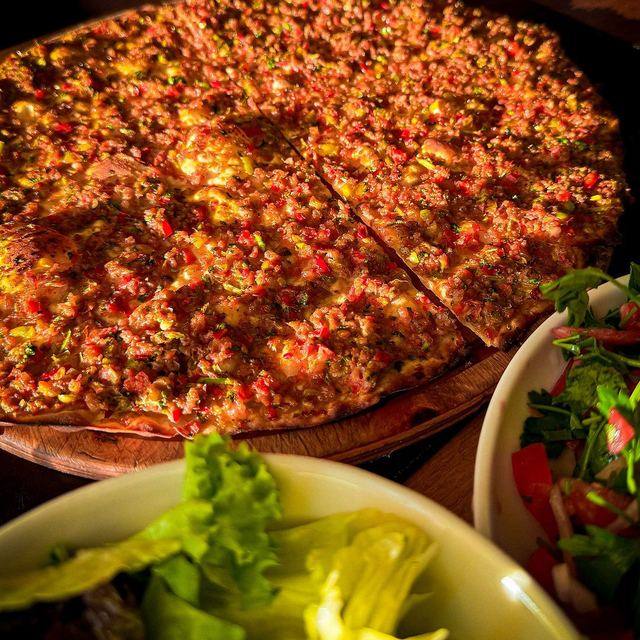
Yes. Dishes such as manti, lahmacun, menemen and iskender are searchable and recognised by name, and dishes from other cuisines and packaged products are just as easy to find.

Is there an iPhone version?

Yes. NutriOS is on the App Store and runs on iPhone and iPad with iOS 15.0 or later. On Android it is on Google Play (Android 8.0 or later).

Is my data shared with anyone?

Your health and nutrition data is never sold and never sent to the ad network. AI features process only the data they need, without anything that identifies you. Details are in the Privacy Policy.

How do I cancel my subscription?

On iPhone: Settings → your name → Subscriptions → NutriOS. On Android: Google Play → profile icon → Payments & subscriptions → Subscriptions → NutriOS. Cancellation takes effect at the end of the period.
NutriOS logo

Start with the first plate you eat tonight

NutriOS is free on the App Store and Google Play. Pick your goal, log your first plate.